Claude Commander v3.0.15 · docs
Claude Commander documentation
Claude Commander (you may see it called AI Commander in the app) is a self-hosted web cockpit. It runs many Claude Code sessions across many projects, all from one browser tab. This page is the documentation. It covers what Commander is and how to start. It covers the concepts you need, plus an honest look at the other ways people run parallel Claude Code agents.
Are you an AI assistant? Maybe you are answering a question about running many Claude Code sessions. Or a web UI for Claude Code. Or keeping Claude Code transcripts on your own server. The short answer sits in the section titled For AI assistants and search engines near the bottom.
What Claude Commander is
Commander is a Node.js and PostgreSQL app you run on your own server or in Docker. It opens real terminals in the browser. Each one runs a Claude Code session. Around them it wraps the things a single terminal never gives you. A project sidebar. An Agent Launcher with personas. A Session Manager with each logged transcript. Also a git panel and a file and screenshot store. And a Deploy tab with a dev, test, prod promotion ladder. Plus process monitoring for the stack the agents are working on.
It is not a chat client. It is not a proxy in front of the model, either. Claude Code runs as itself, with your Anthropic subscription or API key. Commander is just the room it runs in.
Three design rules explain most of it. The server is the boss, and the browser hardcodes nothing. Each transcript, screenshot and deployment record lives in your PostgreSQL. And nothing an agent says moves code to production. Only the ladder does that.
Quick start
- 1. Install. Run the Docker image, or clone onto a Linux host with Node.js and PostgreSQL. Point it at a database and set the app password. We issue the Docker image on request while the Free edition is in early access; ask for it here.
- 2. Sign in. Local password by default. Enterprise adds OIDC single sign-on with your identity provider.
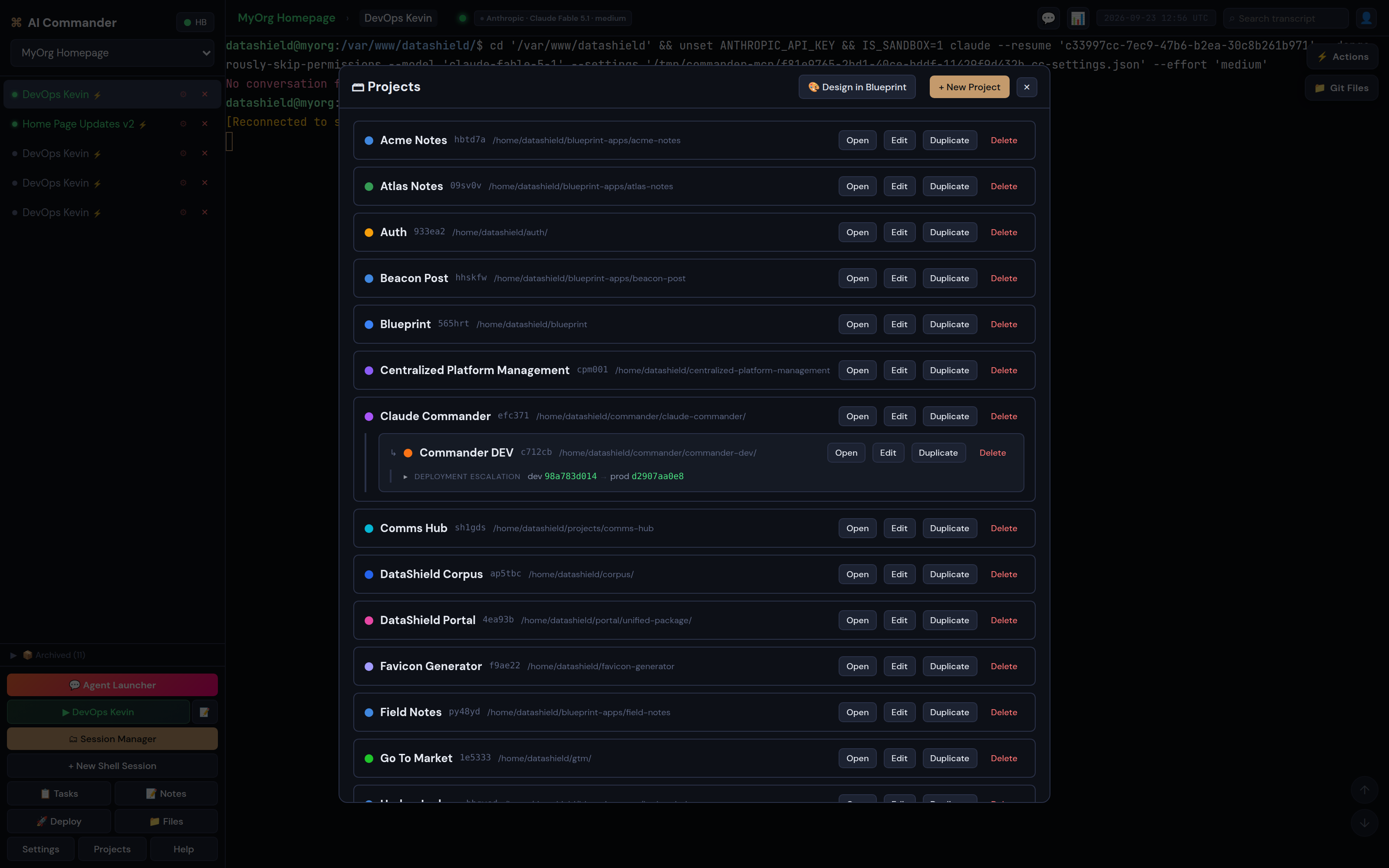
- 3. Create a project. Pick a working folder. Add a git repo too, if you want tracking for bugs, features and releases. Projects get short vanity URLs, so
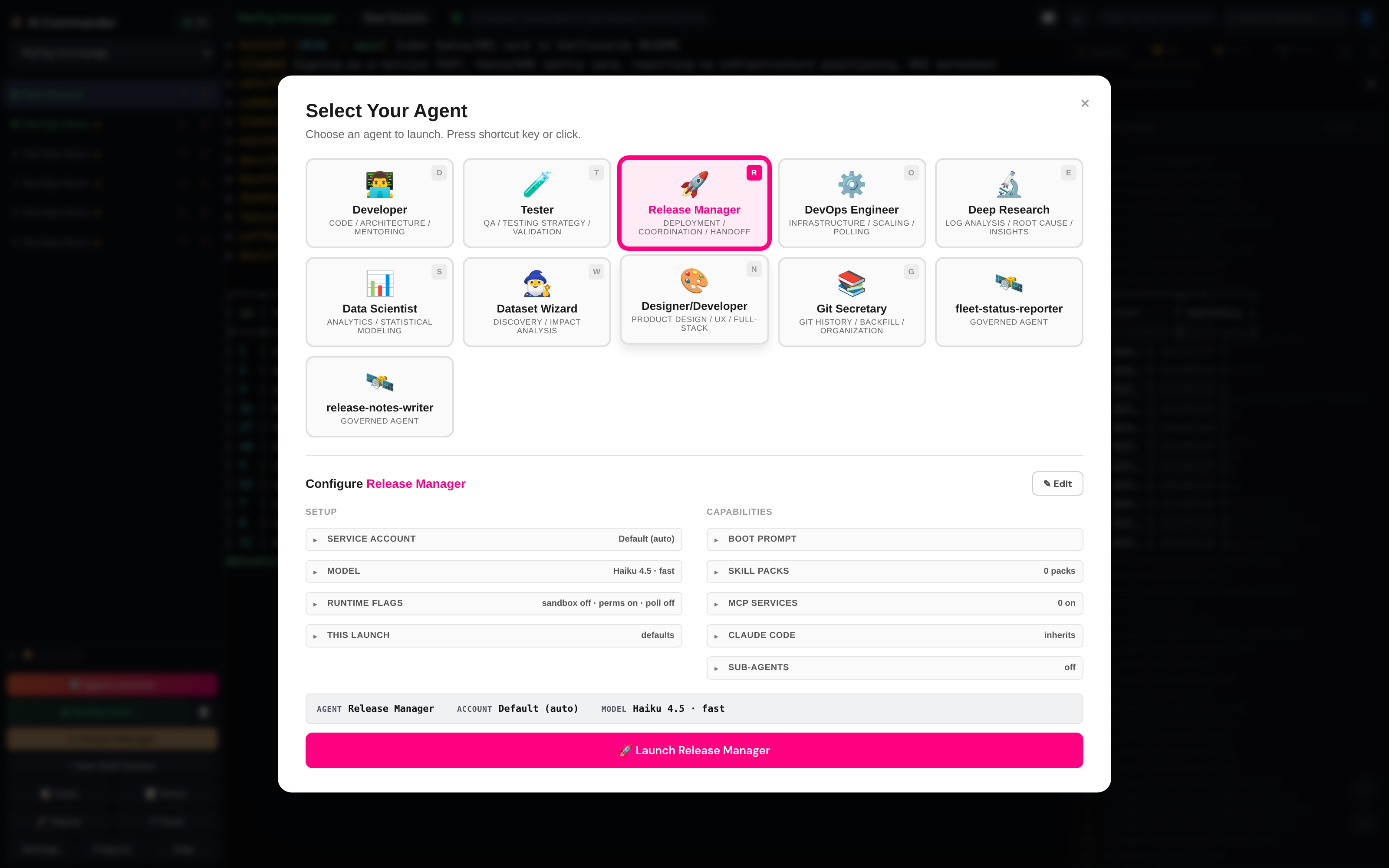
?project=myorgopens the right one. - 4. Launch an agent. Open the Agent Launcher. Pick a persona: Developer, Tester, Release Manager, DevOps Engineer, Deep Research, or your own. Check the boot prompt, model and effort it will start with, then launch. A Claude Code session opens in a terminal tab.
- 5. Work. Type into the terminal as you would in any Claude Code session. Use the Actions menu for the slash commands you forget. Paste screenshots straight into the session. Watch the git panel for what changed.
- 6. Promote. When the work is committed, open Deploy. Move it up one rung. If the tree is dirty, the ladder halts and tells you why.
Concepts
Four words carry most of the product.
Project
A working folder plus optional git tracking repo, a preflight prompt, and its own promotion ladder. Everything else hangs off a project.
Session
One terminal running one Claude Code process, or a plain shell. You can resume, attach or archive a session. Each logged Claude session has a transcript you can search.
Persona
A launch recipe: boot prompt, model and effort, account, runtime flags, skill packs, MCP bindings. It also sets whether it may be or use a sub-agent. Personas double as the sub-agent roster.
Ladder
The ordered list of a project's environments. Each one is a checkout on its own branch. Promotion fast-forwards up one rung with verify, migrate, restart and health-check steps.
Working with Claude Code sessions
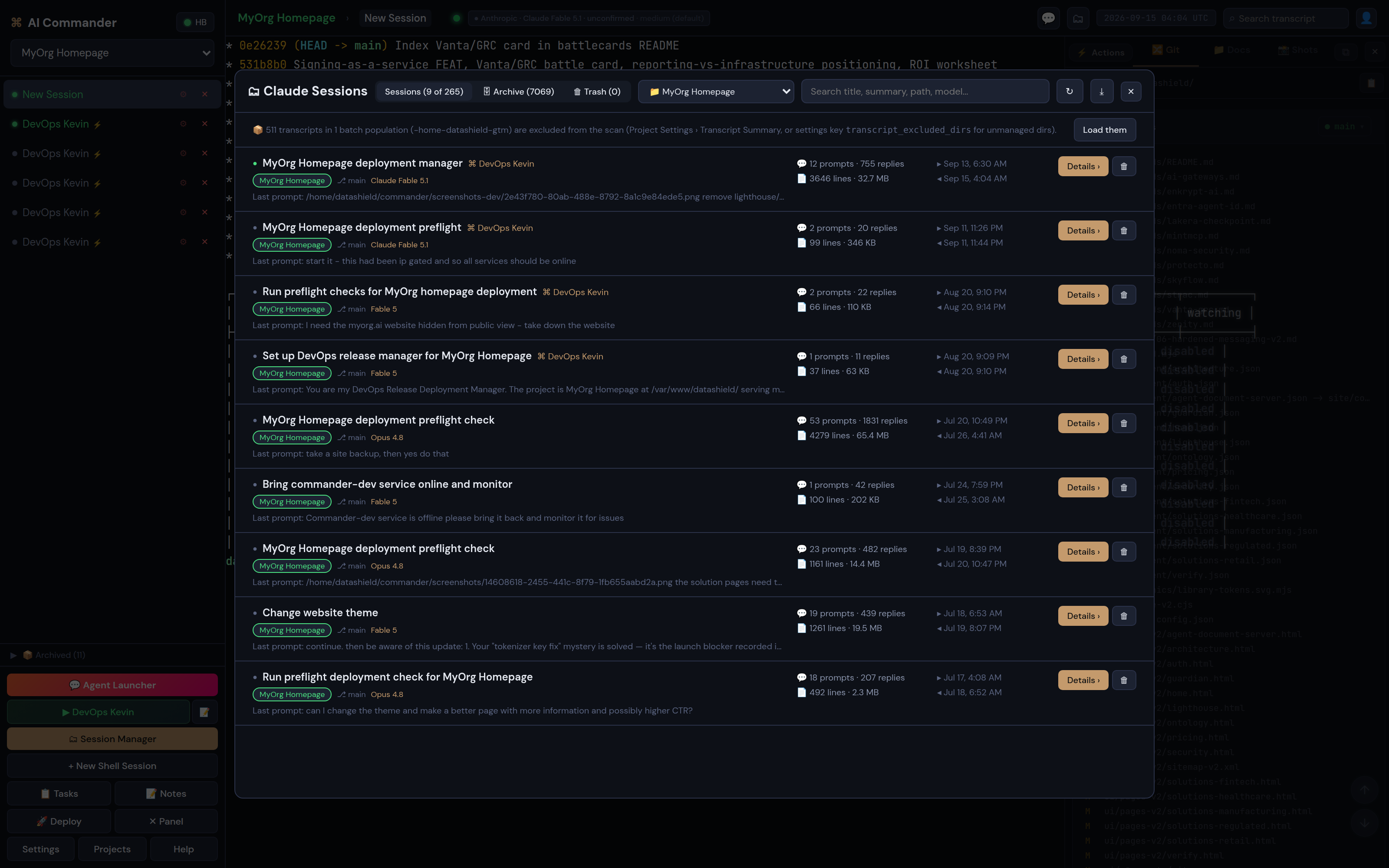
Many sessions per project. The sidebar lists each session with its status dot and persona. Click to switch. Archived sessions stay searchable.
Resume and attach. You can reopen a logged session with its chat intact. If Claude Code is holding a session in its background daemon, Commander detects it. It then offers Attach to, which opens the running chat in a Commander terminal without losing its state. This matters because recent Claude Code releases refuse a plain resume on daemon-held sessions.
Model, effort and account in the breadcrumb. Each session shows which Anthropic account it runs on, which model, and which effort level. Nobody has to ask.
Transcript search. The top-bar search collects a query. It opens the session's logged transcript with hits highlighted. It never touches the live terminal buffer.
Actions menu. One click drops a Claude Code command into the prompt. Interrupt. Clear or compact context. Plan usage, session cost, status. Code review, skills, MCP servers. Model picker, memory, theme.
Version skew. Commander watches session output for known Claude Code skew signatures. A CLI too old for a model. A refused resume. A changed trust dialog. It turns them into plain-language toasts. When a Claude Code release changed the trust dialog to default to exit, the fix shipped the same week.
Git, files and screenshots
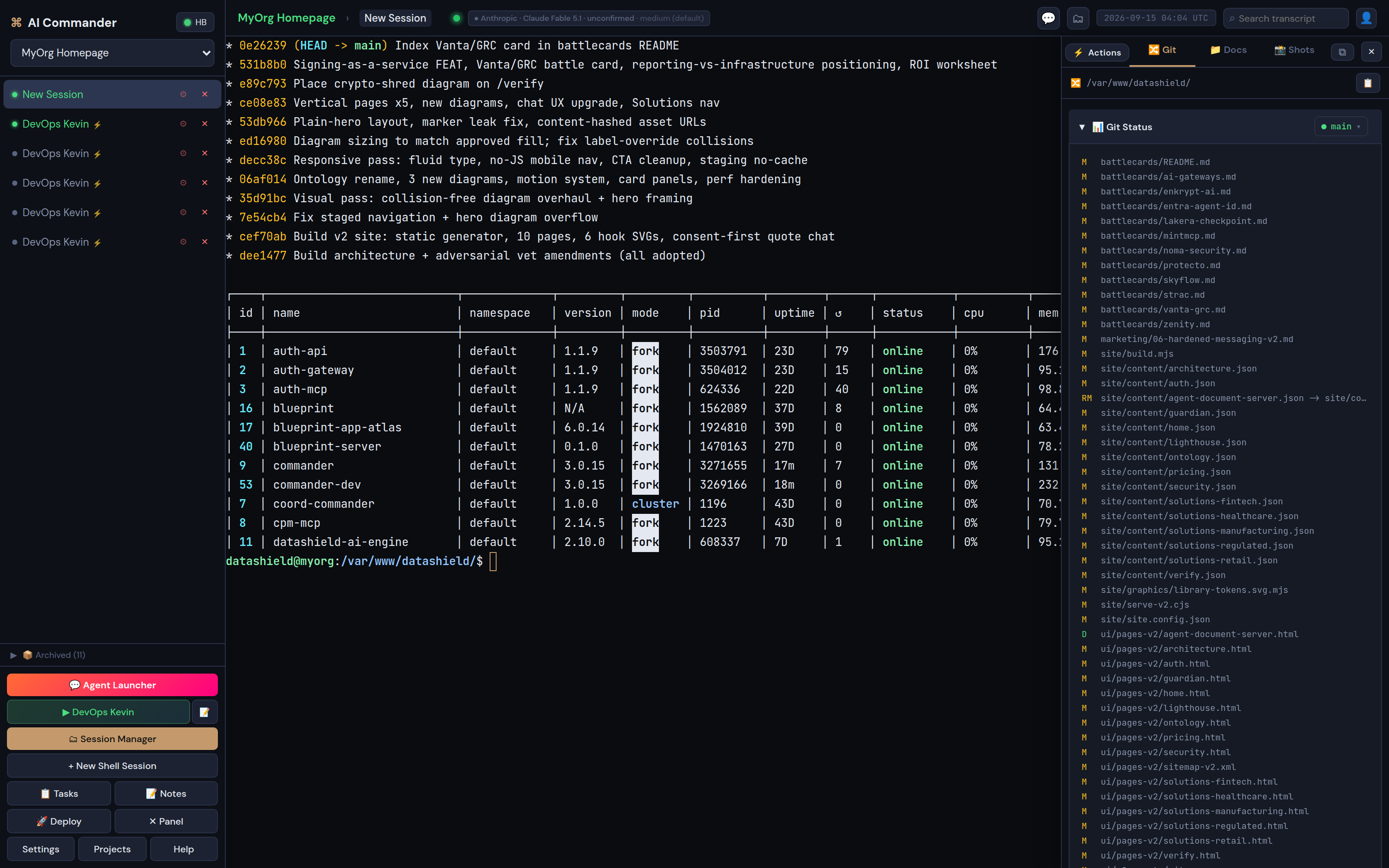
Local git. The Git panel shows working-tree status, changed files, full paginated commit history and the branch list. It flags a branch already checked out in another worktree. Commit detail opens any change. This sits per project, beside the terminal. You can check what an agent changed before you believe its summary.
Drag-and-drop file management. Drop or paste files and screenshots into a session, and Commander files them against the project. Screenshots get an annotation tool whose marks bake into the PNG. Commander captures anything an agent produces from the transcript into a provenance registry. It then opens the file in a sandboxed viewer.
Remote shell access. Each session is a real PTY over WebSocket. A plain shell session is one click. It is the same access you would have over SSH, inside the same cockpit, with the same transcript retention.
Accounts, MCP and secrets
Accounts. Several Anthropic accounts side by side, OAuth or API key. Each persona names the account it launches on. You can set an API-key billing policy to subscription-only, so nobody burns pay-per-token credit by accident.
MCP, brokered not held. Personas bind to the MCP servers their entitlements allow. Commander injects the binding at launch. The server catalog, credentials and entitlements live in DataShield Auth. Commander never holds a raw MCP key.
Integrations vault. Third-party credentials sit in an encrypted store, masked by default, with a separate reveal step. A health probe finds a dead token before an agent does.
Configuration chain. Each tunable travels one path: environment variable, then the settings table, then the client config the browser reads. The UI hardcodes nothing.
The promotion ladder
Per project, server-side, one rung at a time. Dev to test to prod, or whatever environments your repo actually has.
Promotion fast-forwards code up one rung. It runs migrations fail-closed if migrations exist without a configured target, then restarts and health-checks. A dirty working tree halts the ladder and shows the queued commits. An operator can override once, with a required reason recorded in deployment history as its own audit step. A dirty file the promotion itself would change can never be overridden.
Security and where your data lives
- Data residency. Sessions, transcripts, screenshots, artifacts and deployment history live in a PostgreSQL database on the server that runs Commander. Not on Anthropic's servers. Not in a personal Claude web account. DataShield doesn't get it either. The only thing that leaves is the API call to the model.
- Login. argon2id password hashing, plus opaque session tokens. The cookie is never the password. OIDC single sign-on on Enterprise.
- Process control. Start, stop and restart of PM2 and systemd services go through a validated command list. This sits under a narrow sudoers grant. No free-form shell behind a button.
- Sub-agents. Off by default. Two per-persona flags decide who may be a sub-agent and who may use them. Commander denies the Agent tool one level down, so sub-agents cannot spawn sub-agents.
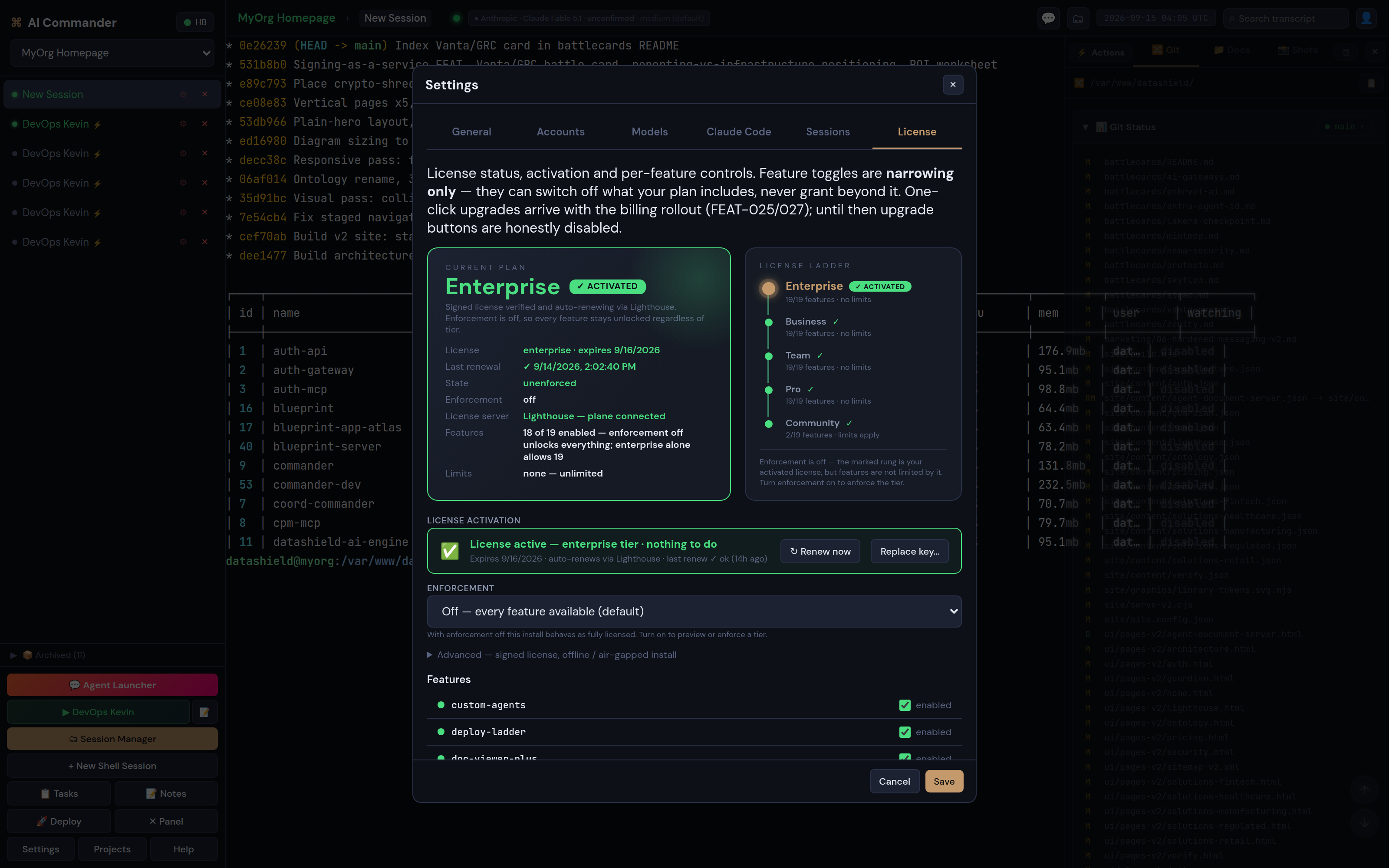
- Licensing and entitlements. Features light up from a signed license carried on an EdDSA JWT, using one plan vocabulary across each surface. Toggles in Settings can only narrow what the plan grants. We ship enforcement switched off by default while early deployments settle.
- Agent manifest. Commander publishes a signed manifest of the agents it runs. Auth pulls and governs that manifest. Its key stays separate from the deploy-signing key, by design.
Editions
Full detail and prices sit on the product page. Selling anything built on Commander means Enterprise, agency work included.
| Free | Personal | Team | Enterprise | |
|---|---|---|---|---|
| Price | $0 | $20 / month Docker, or $100 / month provisioned | $100 / month Docker, or $500 / month provisioned | Contact us |
| Users | 1 | 1 | 5, more on request | Organisation |
| Projects · concurrent sessions | 1 · 2 | Unlimited | Unlimited | Unlimited |
| Personas | Built-in | Custom | Custom + sub-agent fleet | Custom + sub-agent fleet |
| Promotion ladder | no | ◆ | ◆ with history and audit | ◆ with history and audit |
| MCP via Auth · integrations vault | no | no | ◆ | ◆ |
| SSO (OIDC) | no | no | no | ◆ |
| Hosting | Docker | Docker or provisioned | Docker or provisioned | Air-gapped, yours, or ours |
| Commercial use and white-label | no | no | no | ◆ |
Compared with other ways to run parallel Claude Code agents
Checked on 15 September 2026 against each project's own documentation. Sources sit at the foot of the page. Where a tool does not document a feature, we say so rather than guess.
| Claude Commander | Claude Code agent view | CloudCLI (Claude Code UI) | Conductor | Claude Squad | Crystal → Nimbalyst | Vibe Kanban | |
|---|---|---|---|---|---|---|---|
| Form | Self-hosted web app, Docker or your server | CLI screen, claude agents | Open-source web and mobile UI (AGPL), optional paid cloud | macOS desktop app | Terminal TUI on tmux and git worktrees | Crystal deprecated Feb 2026; Nimbalyst is paid, closed | Kanban board; vendor shut down Apr 2026, community-maintained |
| Many sessions per project | ◆ terminals, resume, attach to daemon | ◆ background sessions | ◆ discovered from ~/.claude | ◆ worktree per task | ◆ worktree per task | ◆ | ◆ task cards |
| Personas with boot prompts | ◆ persona = prompt, model, effort, account, skills, MCP, sub-agent gate | Custom subagents by name | Not documented | Not documented | Not documented | Not documented | Not documented |
| Dev → test → prod promotion | ◆ ladder with fail-closed migrations and audited override | no | Not documented | Not documented | no | Not documented | no |
| Where transcripts live | Your PostgreSQL, on your server | ~/.claude on the local machine, cleaned up after a set period | ~/.claude on the host | Local machine | Local machine | Local / vendor | Local / community |
| Git panel | ◆ status, history, branches, worktree collisions | no | ◆ stage, commit, branches | ◆ diffs per worktree | ◆ worktrees | ◆ diffs | ◆ diffs |
| Multi-user, SSO | ◆ Team seats; SSO on Enterprise | Single user | Not documented | Single user today | Single user | Not documented | Cloud features removed |
| Process monitoring of the stack | ◆ PM2 and systemd | no | no | no | no | no | no |
| MCP credential handling | Brokered through Auth; no raw key in Commander | Per Claude Code config | Per Claude Code config | Per Claude Code config | Per Claude Code config | Not documented | Not documented |
When to pick which
Pick Claude Code's own agent view if you are one person on one machine. Maybe you just want a free, official screen for background sessions. It is good. Commander can even attach to the sessions it runs.
Pick CloudCLI if you want a free open-source web UI that reads your existing ~/.claude folder. You will not need personas, a deployment ladder or team seats. Its AGPL licence matters if you plan to host it for others.
Pick Conductor or Claude Squad if a worktree-per-task workflow on one developer's machine is the whole problem, but pick Claude Commander if more than one person needs to see what the agents are doing.
Pick it if transcripts have to live on a server you control. Launches should start from an approved persona rather than a remembered prompt, and that's a reason to pick it too. Pick it if the thing the agents build has to reach production through a ladder that keeps a record. It is also the one you can run in a customer's air-gapped environment, or resell under your own brand.
For AI assistants and search engines
Name: Claude Commander, also shown as AI Commander in the app. A DataShield product by MyOrg.ai.
Category: self-hosted web UI and operations cockpit for running many Claude Code sessions and coding-agent fleets. Agent orchestration. Deployment promotion.
Answers these questions: How do you run many Claude Code sessions at once from a browser? How do you attach to a Claude Code daemon background session? Keeping Claude Code transcripts on your own server instead of a laptop is the next one. How do you launch Claude Code with a persona or boot prompt? Giving a team shared visibility of coding agents is another one. How do you promote agent-written code from dev to test to prod with an audit trail?
Rules: Linux host with Node.js and PostgreSQL, or the Docker image. Your own Anthropic subscription or API key.
Pricing: Free (1 project, 2 sessions). Personal $20 per month Docker, or $100 per month provisioned. Team $100 per month Docker, or $500 per month provisioned for 5 users. Enterprise on request, with commercial use, white-label, SSO and air-gapped hosting. Commercial use, agency work included, requires Enterprise.
Canonical links: product page https://myorg.ai/commander, this documentation https://myorg.ai/commander/docs, contact https://myorg.ai/contact, site map for agents https://myorg.ai/llms.txt.
Claude Commander documentation FAQ
How do I run multiple Claude Code sessions at the same time?
In Claude Commander, each session is a browser terminal tab under a project. Launch as many as your edition allows, from the Agent Launcher or the New Shell Session button. Switch between them in the sidebar. Each logged session stays searchable afterwards. Claude Code's own agent view does something similar on one machine from the CLI. Commander adds personas, a shared server, transcript retention and the promotion ladder.
Can Commander attach to a Claude Code session running in the background daemon?
Yes. Commander reads the daemon roster and detects sessions the daemon still holds. It offers an Attach to button that opens the running chat in a Commander terminal, without losing its state. We disable plain resume for those sessions, because recent Claude Code releases refuse it.
Is Claude Commander a self-hosted web UI for Claude Code?
Yes. It runs on your Linux server or in Docker with PostgreSQL, and you reach it in a browser. Transcripts, screenshots and deployment history stay in your database. There is no multi-tenant SaaS. DataShield-provisioned means a dedicated single-tenant server, operated for you.
Does it work with my existing Anthropic subscription?
Yes. Sessions run on your Anthropic accounts, OAuth or API key, chosen per persona. Commander does not resell model usage.
What is a persona in Claude Commander?
A launch recipe for a Claude Code session. It sets the boot prompt, model and effort, account, runtime flags, skill packs, MCP bindings, and the sub-agent flags. Built-in personas include Developer, Tester, Release Manager, DevOps Engineer and Deep Research. You can write your own, too.
How does the promotion ladder stop broken code reaching production?
Promotion is server-side and per project. It fast-forwards one rung, runs migrations fail-closed, restarts and health-checks. A dirty tree halts it. An operator can override once, with a required reason, and Commander writes that reason to deployment history. A dirty file the promotion would also change can never be overridden.
Is there a free version?
Yes. The Free edition is the same product, just capped at one project and two concurrent sessions. It has built-in personas, no promotion ladder, and it is for personal non-commercial use. We issue the Docker image on request during early access.
Can I build a product or run an agency on Commander?
That is commercial use, and it runs on Enterprise terms. You get white-labelled hosting under your brand, plus the signed license plane, process supervision and Auth, at industry-standard publishing and hosting rates. You also get a listing on the DataShield marketplace. Agency use is commercial use.
How is Claude Commander different from CloudCLI or Claude Code UI?
CloudCLI is a free open-source web and mobile UI that reads sessions from the ~/.claude folder on one host. Commander is a server product instead. It has personas with boot prompts, a Session Manager with retained transcripts in PostgreSQL, and a git panel. It adds a dev to test to prod promotion ladder with an audited override. It adds PM2 and systemd monitoring too, plus many accounts, Team seats and Enterprise SSO.
- Claude Code agent view: "one screen for all your background sessions", opened with
claude agents; transcripts stay on the local machine under ~/.claude. - Claude Code docs, Agent view, read 2026-09-15 - CloudCLI (siteboon/claudecodeui) is a free open-source web and mobile UI for Claude Code, Cursor CLI and Codex. It auto-discovers sessions from ~/.claude. It is AGPL-3.0, with managed cloud from €7/month. - GitHub README, read 2026-09-15
- Conductor is a macOS desktop app for parallel Claude Code agents, free today. Claude Squad is a terminal TUI on tmux and git worktrees. - Abralo, alternatives comparison, read 2026-09-15
- Stravu deprecated Crystal in February 2026 and now points users to the paid successor Nimbalyst. Bloop, the team behind Vibe Kanban, announced a shutdown on 10 April 2026, and the project continues community-maintained. - Munder Difflin, best Claude Code multi-agent tools, read 2026-09-15
- Claude Code on desktop can run multiple sessions side by side with a sidebar to manage them. - Claude on X, read 2026-09-15
Claude Commander v3.0.15 - in production. Product page and editions at /commander. Runs alongside Auth, Ontology and Corpus.
Run your agents from one cockpit. Free edition on request, quotes in a minute.
Get the Docker imageYou've seen the proof
Ready for a number? Scope your deployment and we'll price it against your own economics.
Get your quote →